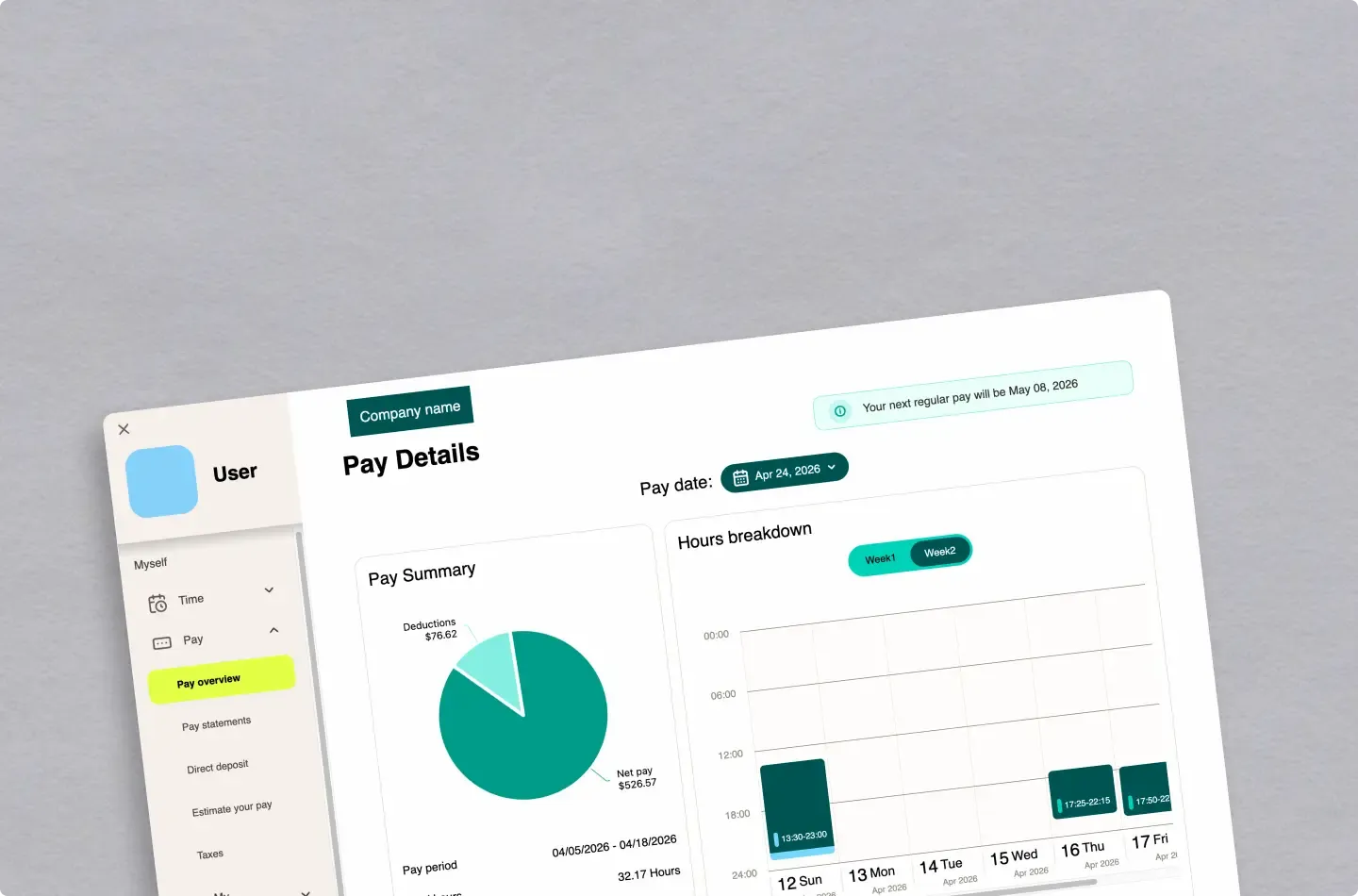
UI/UX case study
UKG Payroll Verification Redesign
Researched and redesigned the payroll verification experience for UKG, based on real user interviews and feedback
Originally built during a hackathon, the first version prioritized speed over structure, resulting in tightly coupled UI, state, and API logic that became difficult to debug and scale. Through rebuilding the project, I learned the importance of separation of concerns and restructured the application into a more maintainable and scalable AI dashboard.
This project was originally developed during a hackathon in collaboration with a designer partner. Due to the speed-focused nature of the development, the initial implementation revealed limitations in structure and state management.
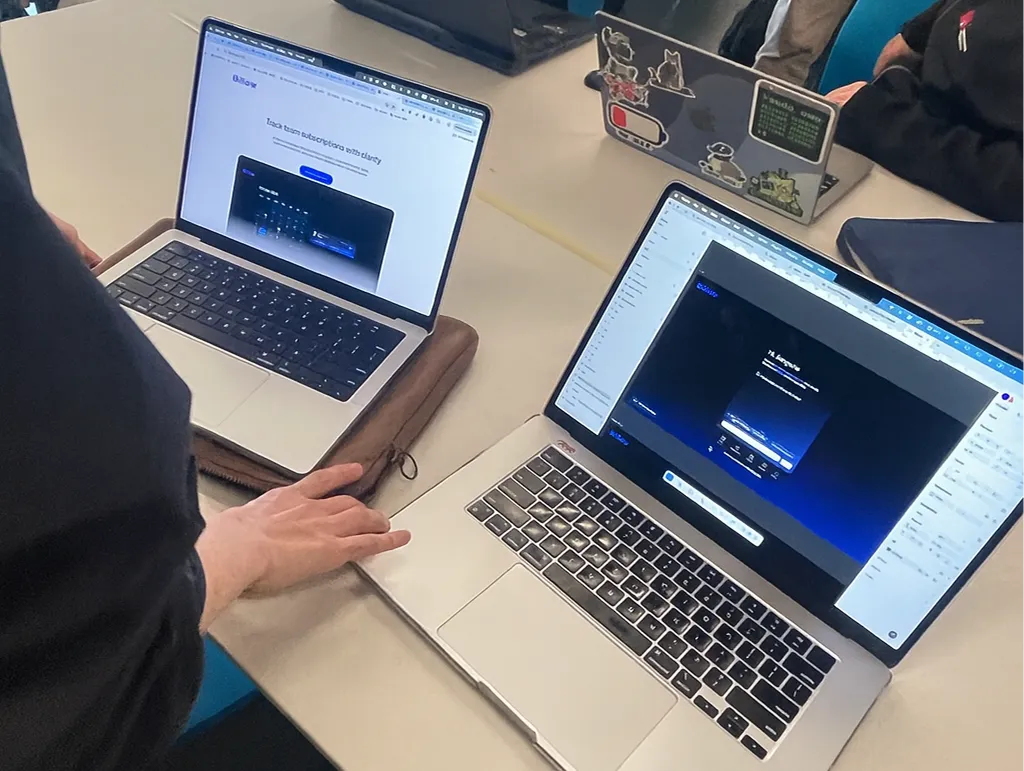
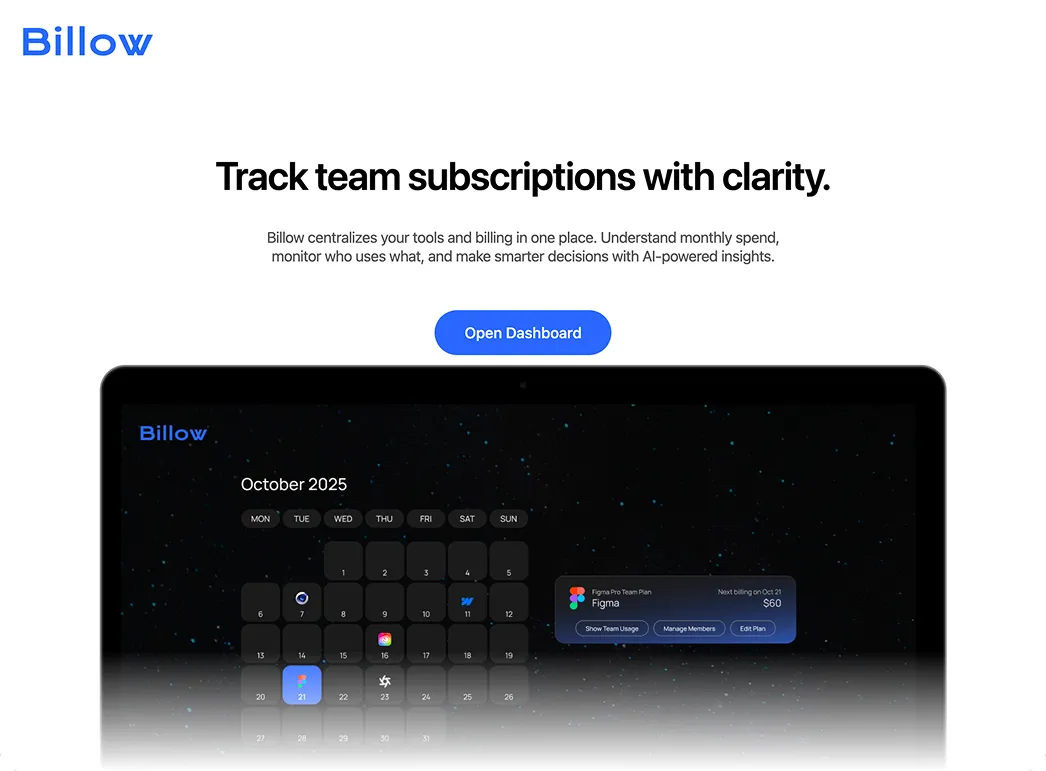
I later revisited the project from both a design and architectural perspective. Rather than simply replicating the UI, I restructured the system around managing complex state and interactions, rebuilding it into a scalable front-end architecture.
In the hackathon version, the priority was to quickly deliver a working AI chat experience. As a result, UI rendering, state management, send logic, and API communication were all concentrated within a single component.
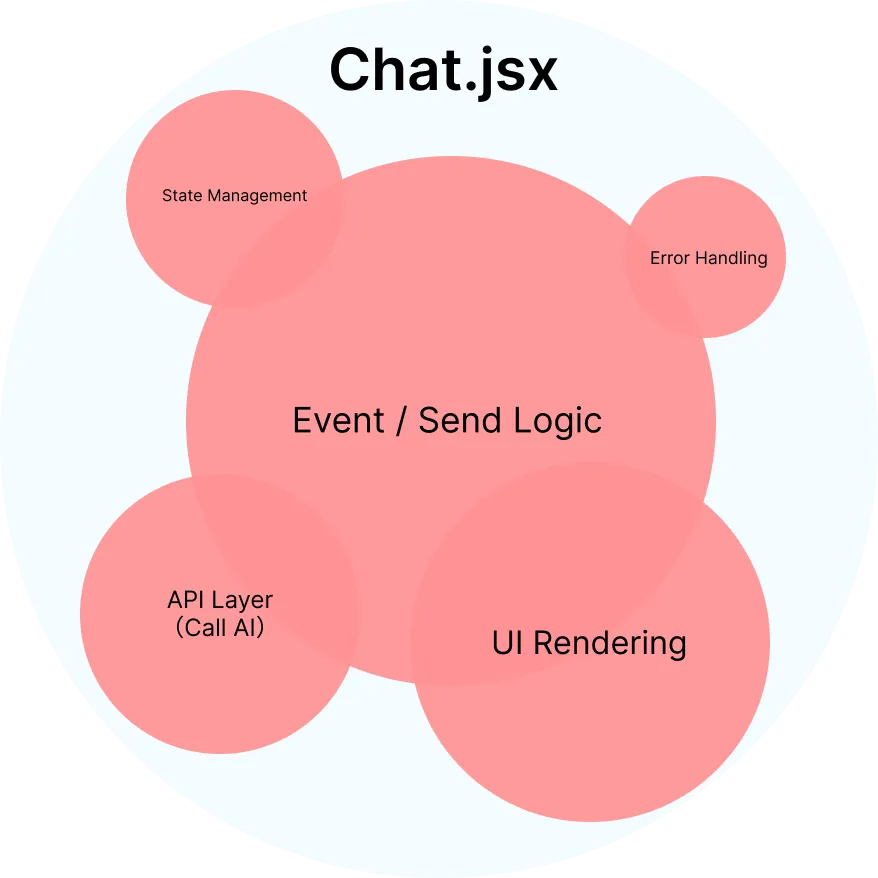
While this structure was sufficient for a prototype, the boundaries between responsibilities were unclear, and separation of concerns was lacking. API communication, local state, event handling, and UI rendering were tightly coupled, which made the code difficult to read, maintain, and scale.
Simplified version of the original code ↓
// API communication
const fetchWithRetry = async (payload) => { ... };

// Client state
const [messages, setMessages] = useState(initialMessages);
const [input, setInput] = useState("");
const [isLoading, setIsLoading] = useState(false);

// Business logic
const sendMessage = async (userMessage) => {
  if (!userMessage.trim() || isLoading) return;
  setMessages(...);
  setInput("");
  setIsLoading(true);

  try {
    const result = await fetchWithRetry({ ... });
    setMessages(...);
  } catch (error) {
    setMessages(...);
  } finally {
    setIsLoading(false);
  }
};

const handleSend = (e) => { ... };
const handleQuickAction = (actionText) => { ... };

// View
return (
  <section>
    {messages.map(...)}
    <button ...>...</button>
    <form ...>
      <input ... />
      <button ...>...</button>
    </form>
  </section>
);To make the chat feature scalable, I first defined clear responsibility boundaries for the architecture. Instead of separating code by file size or UI sections, I reorganized it by concern: View, Logic, Service, and State.
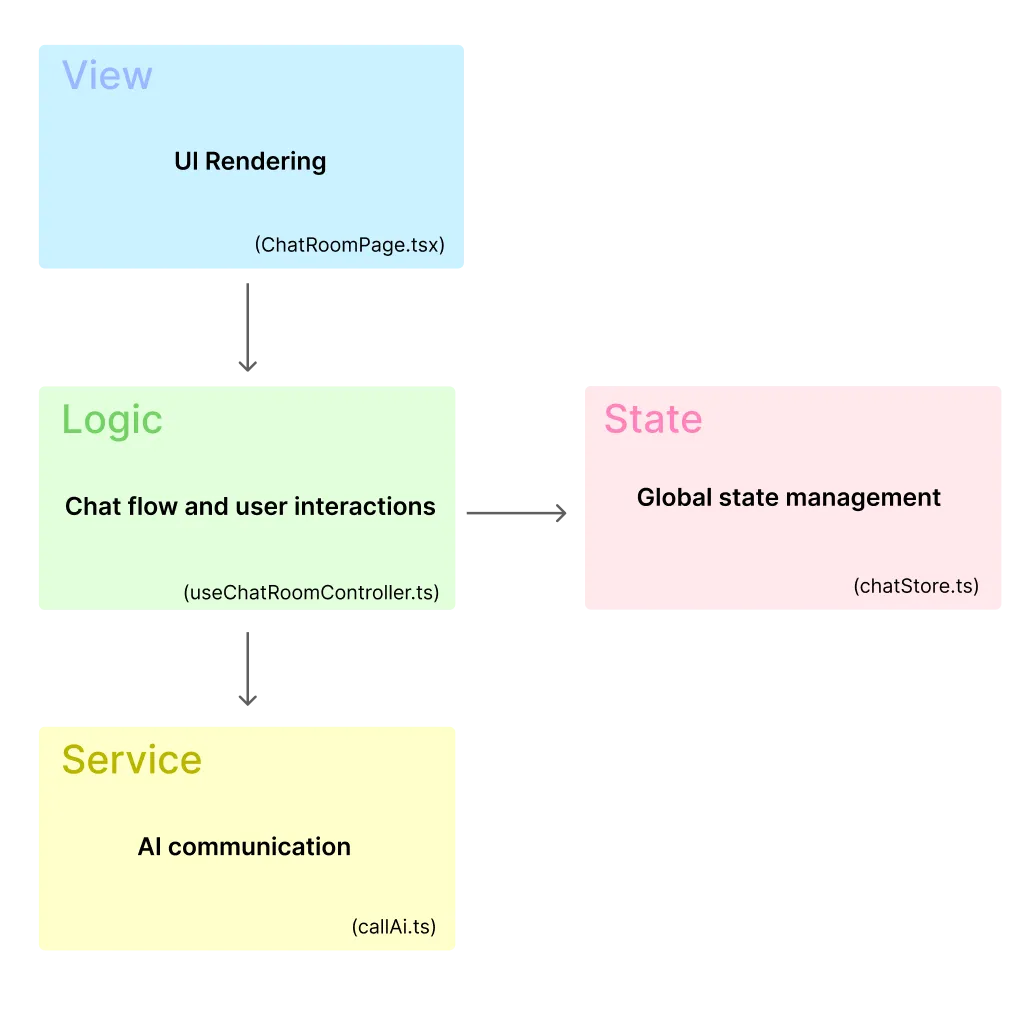
export default function ChatRoomPage() {
  const params = useParams();
  const chatId = params.chatId as string;

  const room = useChatStore((state) => state.rooms[chatId]);

  const { isAiThinking, handleSubmit } = useChatRoomController({
    chatId,
    room,
  });

  if (!room) return <div>Room not found</div>;

  return (
    <div>
      <h1>{room.title}</h1>
      <ScrollableChat messages={room.messages} isAiThinking={isAiThinking} />
      <ChatRoomInput handleSubmit={handleSubmit} />
    </div>
  );
}
export function useChatRoomController({ chatId, room }: Props) {
  const addMessage = useChatStore((state) => state.addMessage);
  const [isAiThinking, setIsAiThinking] = useState(false);
  const hasRequestedInitialResponseRef = useRef(false);

  useEffect(() => {
    if (!room) return;
    if (room.messages.length > 1) return;
    if (hasRequestedInitialResponseRef.current) return;

    hasRequestedInitialResponseRef.current = true;

    const initialAiRes = async () => {
      setIsAiThinking(true);
      try {
        const aiText = await callAi(room.messages);
        if (aiText) addMessage(chatId, "assistant", aiText);
      } finally {
        setIsAiThinking(false);
      }
    };

    initialAiRes();
  }, [room, chatId, addMessage]);

  const handleSubmit = async (message: string) => {
    if (!room) return;

    addMessage(chatId, "user", message);

    const historyWithNewMessage = [
      ...room.messages,
      { role: "user", content: message },
    ];

    setIsAiThinking(true);
    try {
      const aiText = await callAi(historyWithNewMessage);
      if (aiText) addMessage(chatId, "assistant", aiText);
    } finally {
      setIsAiThinking(false);
    }
  };

  return { isAiThinking, handleSubmit };
}
export const callAi = async (messages: LocalChatMessage[]) => {
  const chat = window?.puter?.ai?.chat;
  if (typeof chat !== "function") return "";

  try {
    const res = await chat({
      messages: withSystemPrompt(messages),
    });
    return extractAiText(res);
  } catch {
    const prompt = buildPromptWithSystem(messages);
    const res = await chat(prompt);
    return extractAiText(res);
  }
};
type ChatStore = {
  rooms: Record<string, ChatRoom>;
  createRoom: (initialMessage: string) => string;
  addMessage: (
    chatId: string,
    role: "user" | "assistant",
    content: string
  ) => void;
};

export const useChatStore = create<ChatStore>((set) => ({
  rooms: {},

  createRoom: (initialMessage) => {
    const id = crypto.randomUUID();
    set((state) => ({
      rooms: {
        ...state.rooms,
        [id]: {
          title: initialMessage,
          messages: [{ role: "user", content: initialMessage }],
        },
      },
    }));
    return id;
  },

  addMessage: (chatId, role, content) => {
    set((state) => ({
      rooms: {
        ...state.rooms,
        [chatId]: {
          ...state.rooms[chatId],
          messages: [
            ...state.rooms[chatId].messages,
            { role, content },
          ],
        },
      },
    }));
  },
}));
As the feature evolved to support multiple chat rooms, conversation data needed to be shared beyond a single component. This made local state insufficient, so shared conversation data was moved into a centralized Zustand store.
When I was developing the application during the hackathon, I prioritized getting it up and running so much that I didn’t fully grasp the importance of structural design. As I revisited this project, my understanding of the importance of design, and my approach to AI changed significantly. Rather than simply letting AI create “something that sort of works,” I’ve started using it as a tool to assist my decision-making, guided by a clear design intent. While AI tools can quickly generate working code, I’ve come to realize that understanding the underlying architecture is essential for writing code that is maintainable, readable, and scalable. I’ve also come to find the process of designing while organizing the structure itself to be quite engaging.
This project also gave me an opportunity to reconsider the gap between design and implementation. Even when wireframes and style guides are well-organized in Figma, reproducing them accurately as a consistent UI requires careful implementation decisions. I was reminded that the process of bridging design and implementation cannot yet be fully automated; adjustments and judgments made by human eyes remain indispensable and continue to play a vital role. This project went beyond mere refactoring; it served as an opportunity to reevaluate how we utilize AI and how we translate design intent into implementation.